
FeraSign · Electronic signature software
Electronic signatures for everyday work—and the applications behind it.
Prepare, send, track, and retain signature requests in one focused workspace. Or use the same FeraSign platform to add signing to WordPress and your own software.
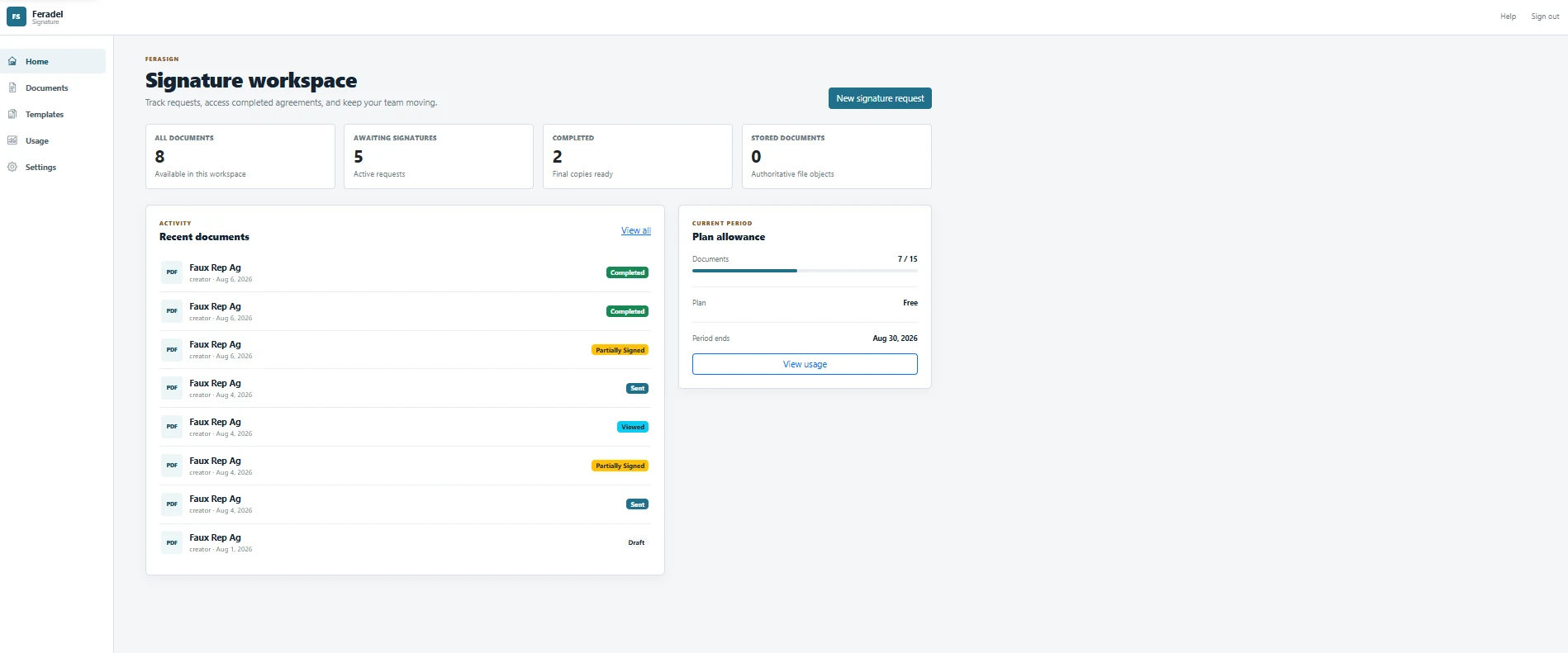
One platform, two ways to use it
Use FeraSign directly. Or make it part of your product.
The retail application gives teams a complete signing workspace. The integration layer lets developers bring that same signing workflow into websites and business applications.
FeraSign for teams
Upload documents, reuse templates, assign recipients, place fields, send requests, track progress, and manage completed work from the FeraSign application.
See the signing workflow →FeraSign for Developers
Connect a foreign system to FeraSign, map your own records into named template fields, present the signing experience, and continue your workflow when signing is complete.
See integration options →Prepare and send
Everything you need to get a document signed.
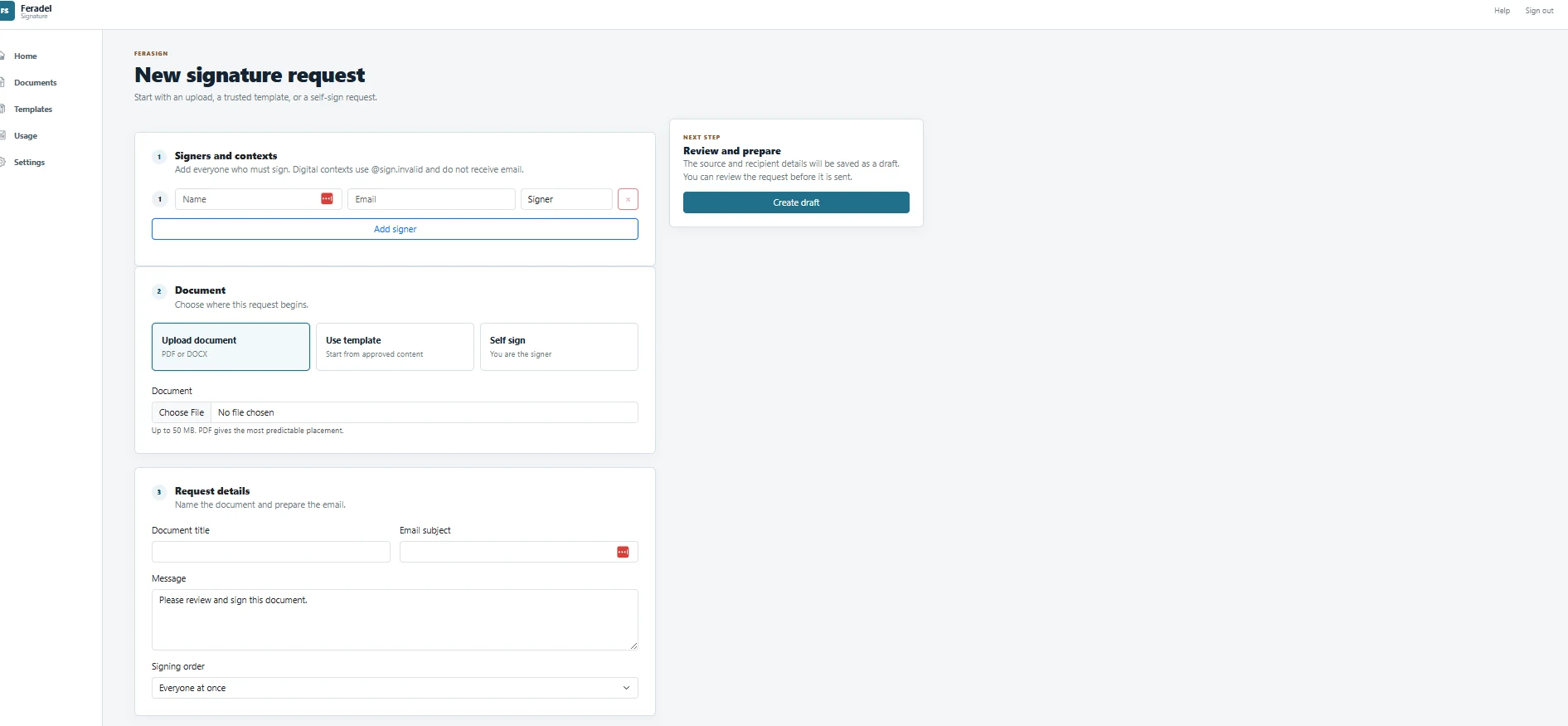
Start with a new document, a reusable template, or a document you need to sign yourself. Add one recipient or several, choose the signing order, prepare the fields, review the request, and send.
- Upload a PDF or DOCX.
- Use a prepared template for repeat work.
- Add multiple signers and control signing order.
- Save preparation work as a draft before sending.
- Self-sign when you only need your own signature.
Visual preparation
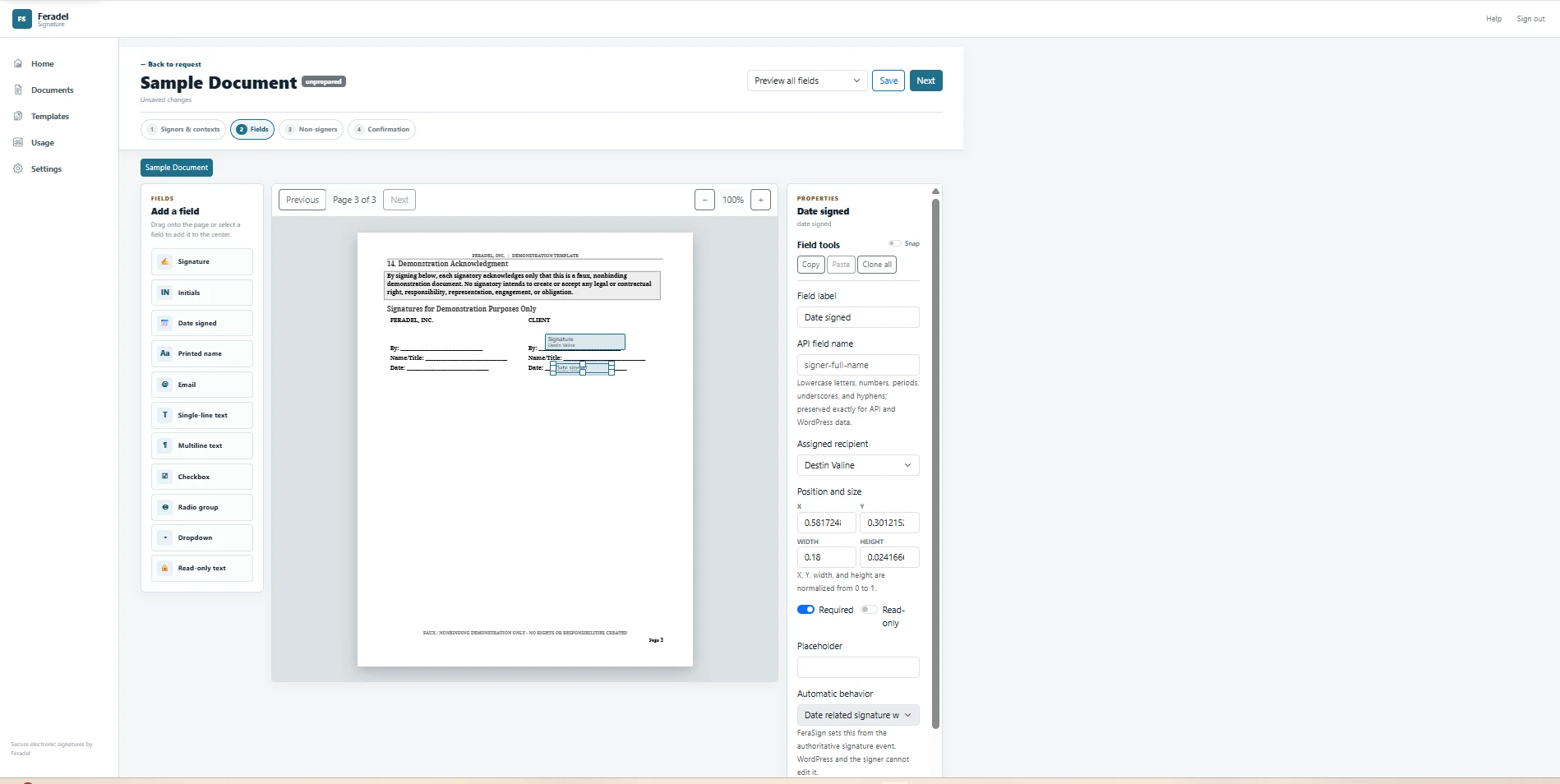
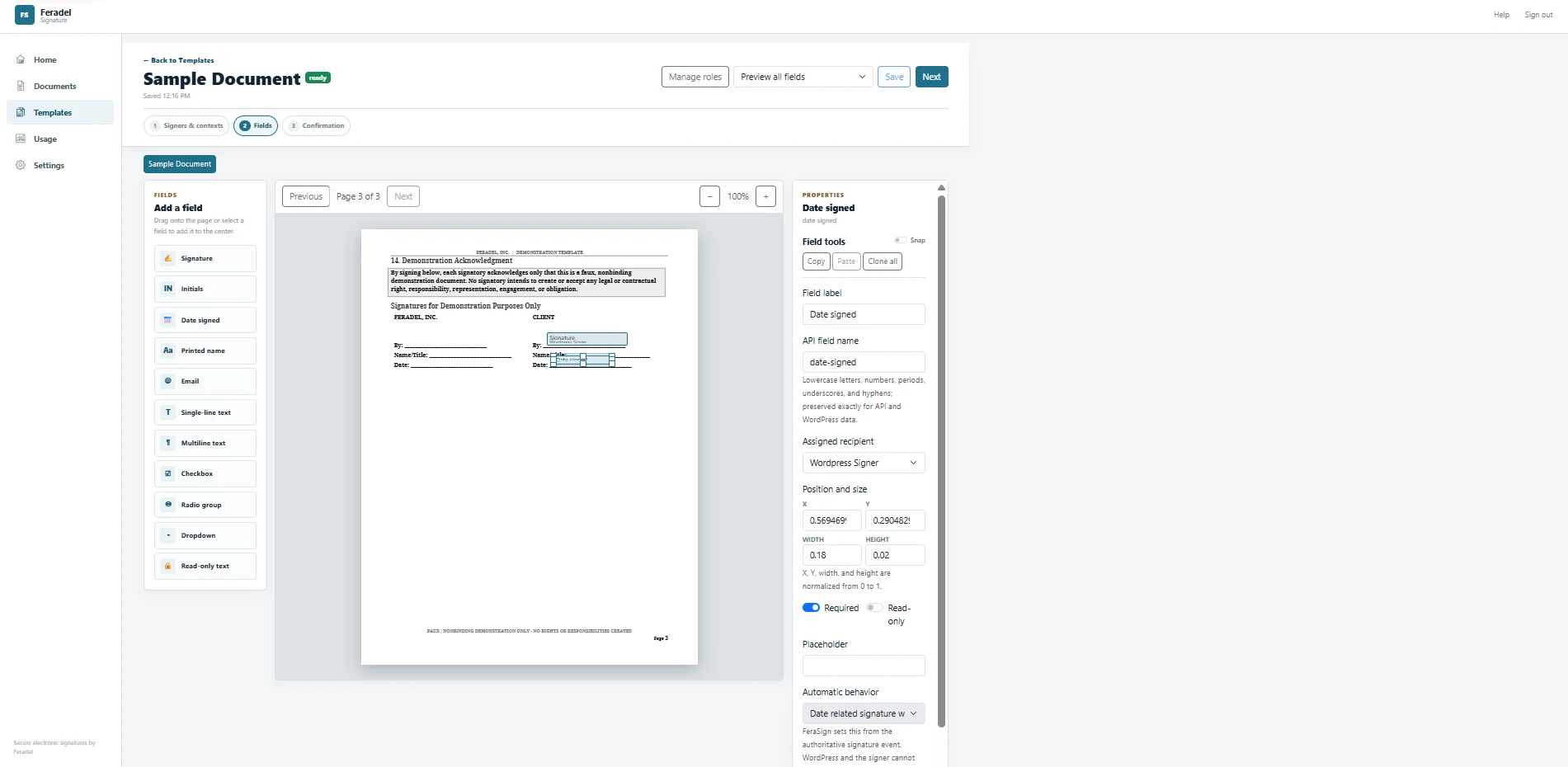
Put every field exactly where it belongs.
Prepare the document visually, assign fields to the right recipient, and decide what is required, read-only, or populated automatically.
Signatures and initials
Place signature and initial fields where the document needs them.
Names, dates, and contact fields
Collect or populate common signer information without reworking the underlying document.
Structured responses
Use text, multiline text, checkboxes, radio groups, dropdowns, and read-only fields.
Named API fields
Give fields stable names so an external application can map its own data into the same reusable template.
Reusable templates
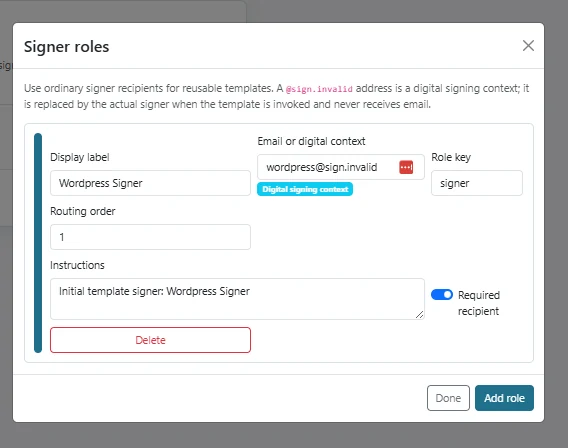
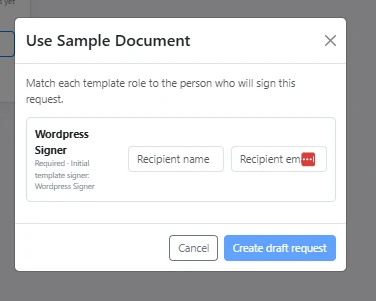
Build the signing workflow once. Reuse it whenever you need it.
FeraSign templates are more than saved documents. Define signer roles, prepare the fields, configure confirmation behavior, and map each role to a real recipient when a new request is created.
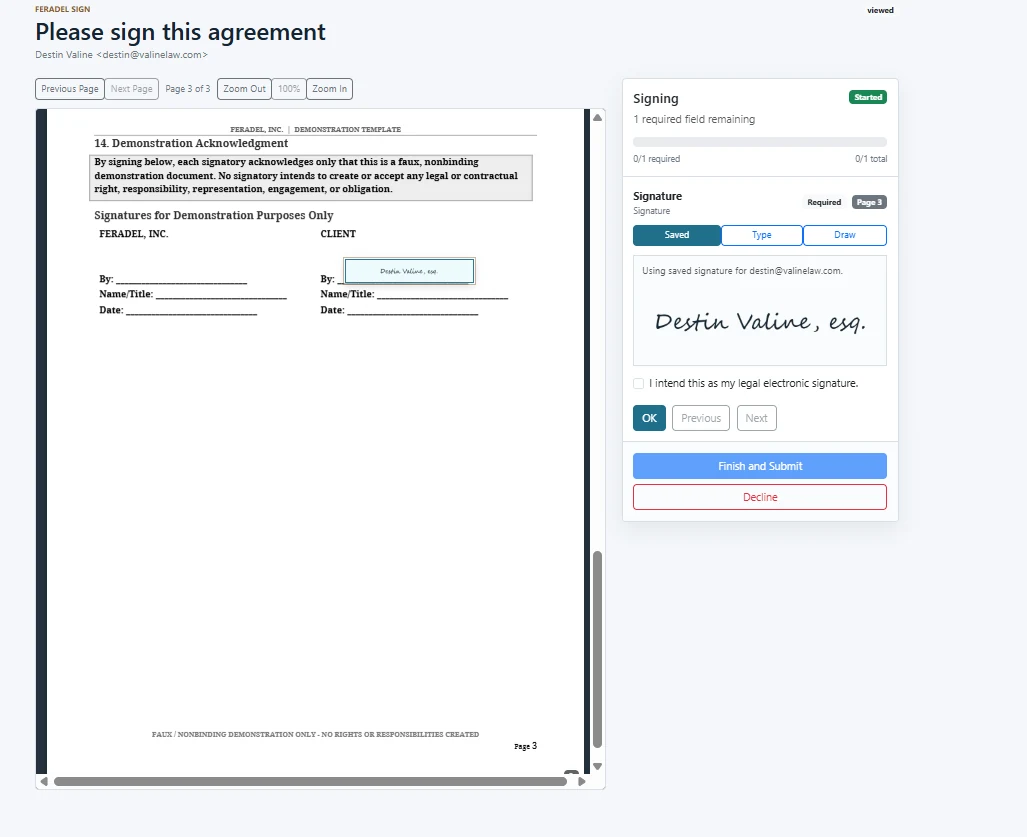
The signer experience
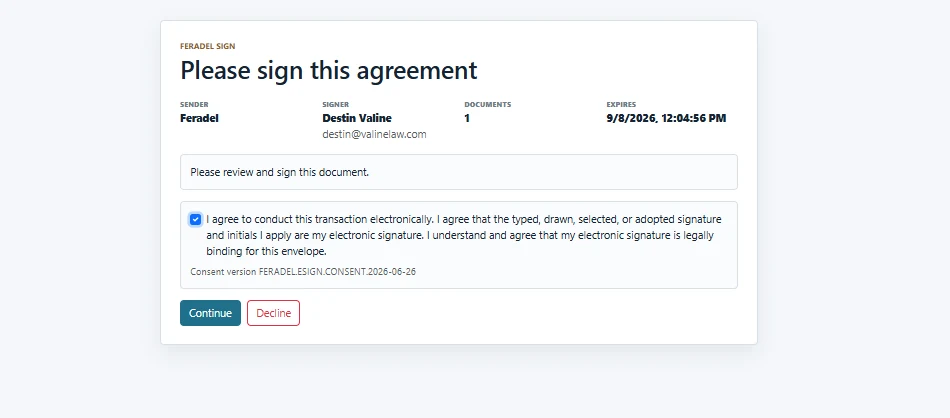
Make signing the easy part.
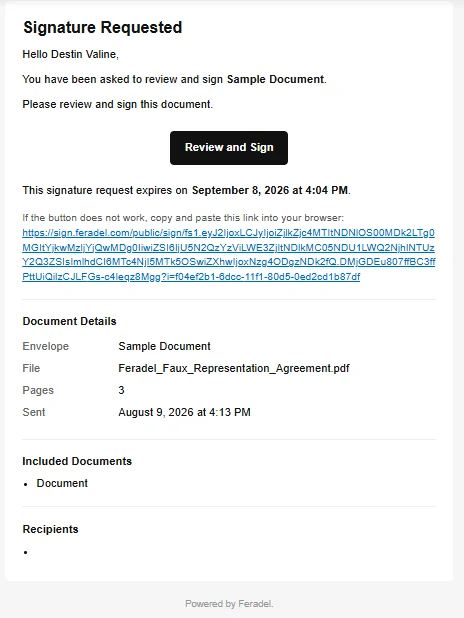
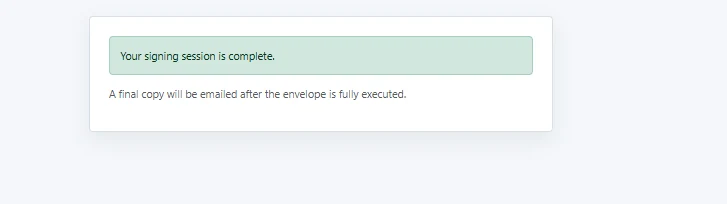
FeraSign carries the recipient from invitation through electronic-signature consent, document review, required fields, and completion in a focused signing flow.
Track every request
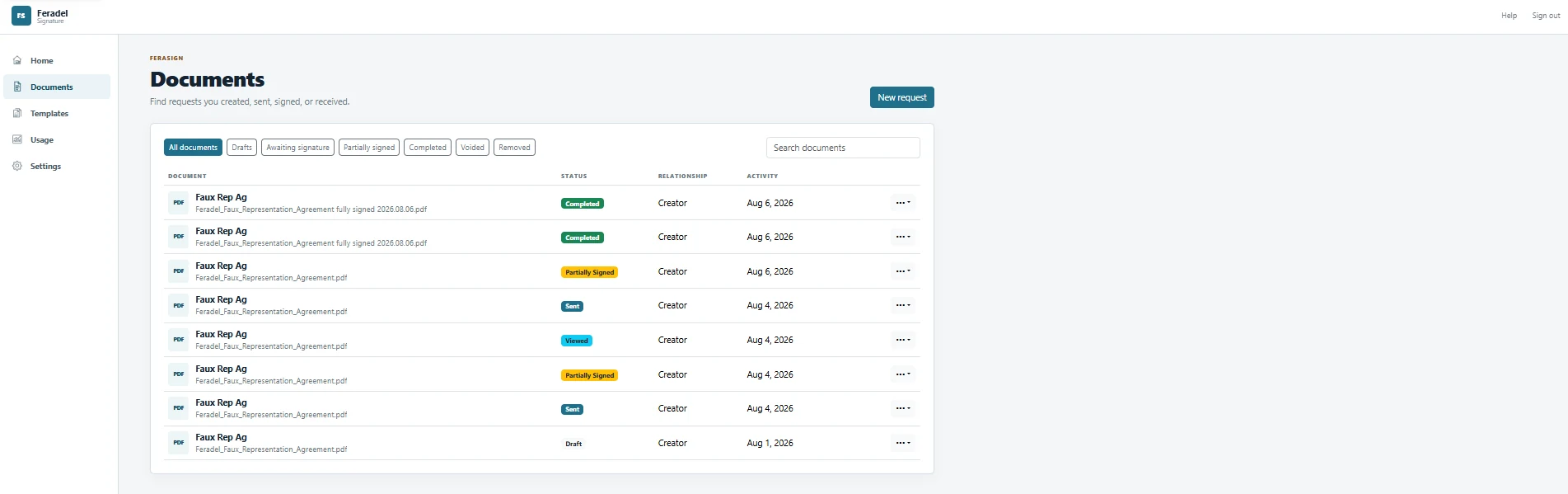
Know what is waiting, what was viewed, and what is complete.
FeraSign keeps signing work in a central document workspace so a sender can see request status and act without searching through email threads.
Audit history
A signing request leaves a record behind.
FeraSign records the important events around a request—such as preparation, sending, recipient access, consent, document viewing, field completion, and signing—so the history of the workflow can be reviewed after completion.
- Request createdDocument and recipient added
- Request sentInvitation delivered to signer
- Recipient openedSigning link accessed
- Consent acceptedElectronic-signature consent recorded
- Document viewedSigning document opened
- Field completedRequired signature field completed
- Recipient signedSigning session completed
FeraSign for WordPress
Put a FeraSign signing experience directly inside WordPress.
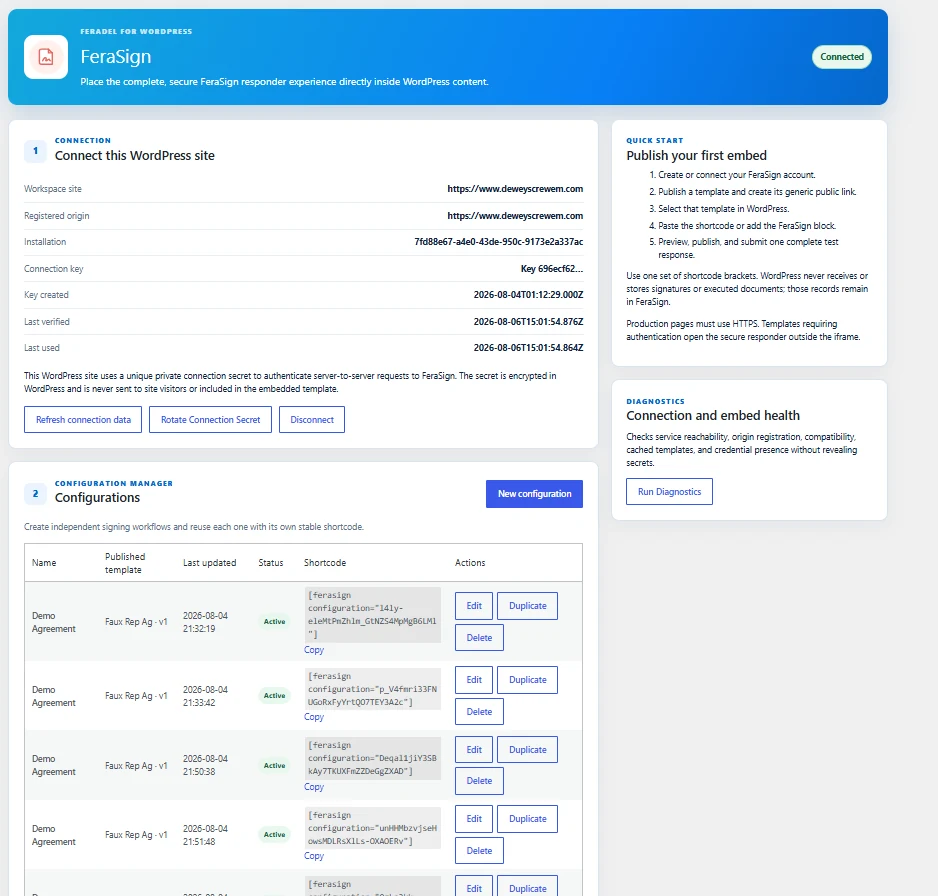
Connect a WordPress site to FeraSign, create reusable configurations from published templates, and place a signing experience into content with a block or shortcode.
- Server-to-server connection with a private site secret.
- Reusable signing configurations tied to published templates.
- Shortcode and Gutenberg placement options.
- Connection and embed diagnostics.
- Signature records and completed documents remain in FeraSign.
FeraSign for developers
The signing application you don’t have to build.
Keep the records that belong to your application in your application. Let FeraSign own signature-request status, signer state, signing events, links, and completed signing documents.
// Your server calls FeraSign; your browser never receives the API key.
const request = await feraSign.createRequest({
  templateId: "<published-template-uuid>",
  recipients: [{ role: "client", name, email }],
  fields: {
    matter_number: record.number,
    client_name: record.clientName
  }
});

// Store the association in your system.
await saveAssociation({
  foreignRecordId: record.id,
  feraSignRequestId: request.id
});Simple product pricing
Start at $0. Scale when you need more.
The free plan needs no credit card. Paid plans increase signature volume, users, retention, and advanced controls.
Free
$0
1 user · 15 signature documents / period
- Unlimited signers
- Audit certificate
- 10-day signed-document retention
Starter
$10/ month
1 user · 25 signature documents / period
- Reusable templates
- $5 additional users
- Unlimited signed-document retention
Complete
$20/ month
3 users · 150 signature documents / period
- Reusable templates
- $4 additional users
- Unlimited signed-document retention
Beyond
$50/ month
15 users · 500 signature documents / period
- Advanced routing
- $3 additional users
- Unlimited signed-document retention
Need custom users, volume, retention, or implementation support? Contact Feradel.
Common questions
What to know before you send your first request.
What is FeraSign?
FeraSign is electronic signature software for preparing, sending, tracking, signing, and retaining electronic documents. It also provides integration capabilities for applications that need FeraSign to operate as their signing layer.
Can I use FeraSign without the other Feradel products?
Yes. FeraSign is designed to stand alone. Other Feradel products can be connected when your workflow needs them.
Can I create reusable signature templates?
Yes. Templates can define reusable documents, signer roles, fields, and request behavior so repeat signing work does not need to be rebuilt each time.
Can more than one person sign a document?
Yes. A request can include multiple recipients, and the sender can control signing order when the workflow requires sequential signing.
Can I use FeraSign from WordPress?
Yes. The FeraSign WordPress implementation can connect a site to published FeraSign templates and place a signing experience into WordPress content using reusable configurations.
Can my own application prepopulate fields?
FeraSign templates support named fields that can be mapped to values from another application. This lets an integration populate document fields from records that already exist in the foreign system.
Does the free plan require a credit card?
No. The current Free plan can be created without entering payment information.
What happens after a request is signed?
FeraSign records signing activity and keeps completed work available according to the applicable plan and retention settings. The sender can review the document lifecycle from the FeraSign workspace.
Start with FeraSign