Manage calendar access
Assign viewer, editor, or admin membership roles and check a person's effective access to a calendar.

Create shared calendars, check when people and resources are available, and schedule events over REST. Connect compatible calendar clients over CalDAV.
To run requests in Developer Studio, sign in with an authorized FeraCal account and select your product instance.
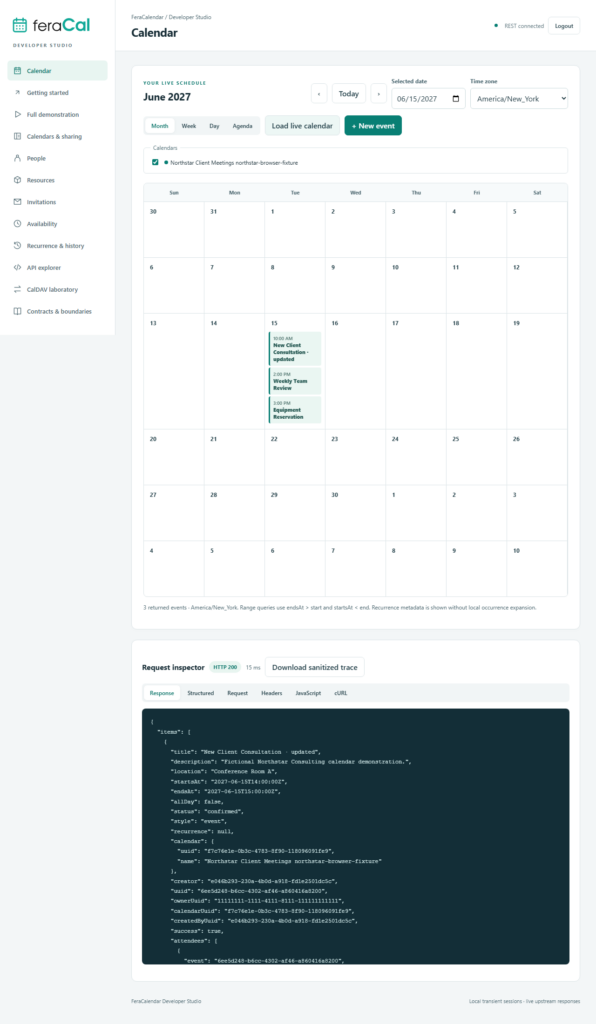
Studio screenshot with sample events.
Set who can access each calendar, associate people and resources with events, and check availability before scheduling.
Assign viewer, editor, or admin membership roles and check a person's effective access to a calendar.
Create and update events, associate people and resources, and track participation status.
Find available people and reservable resources, such as rooms and equipment, for a start and end time.
See how the calendar workspace uses the REST API, follow a guided integration, and try CalDAV requests.
Switch between month, week, day, and agenda views to see how the workspace loads events for a selected date range and time zone.
Screenshots use sample data. Sign in with an authorized FeraCal account to run requests.
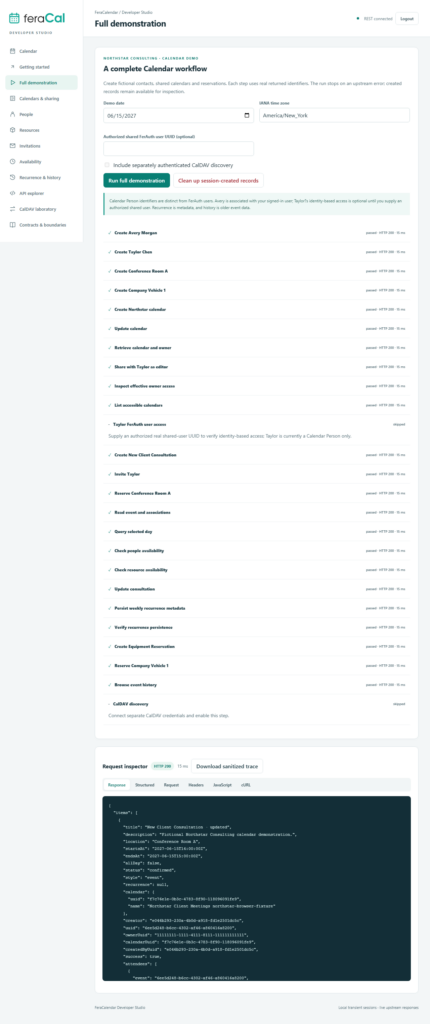
Open the live Developer StudioCreate a calendar, grant access, schedule an event, and check availability. Inspect the API requests and responses along the way.
Screenshots use sample data. Sign in with an authorized FeraCal account to run requests.
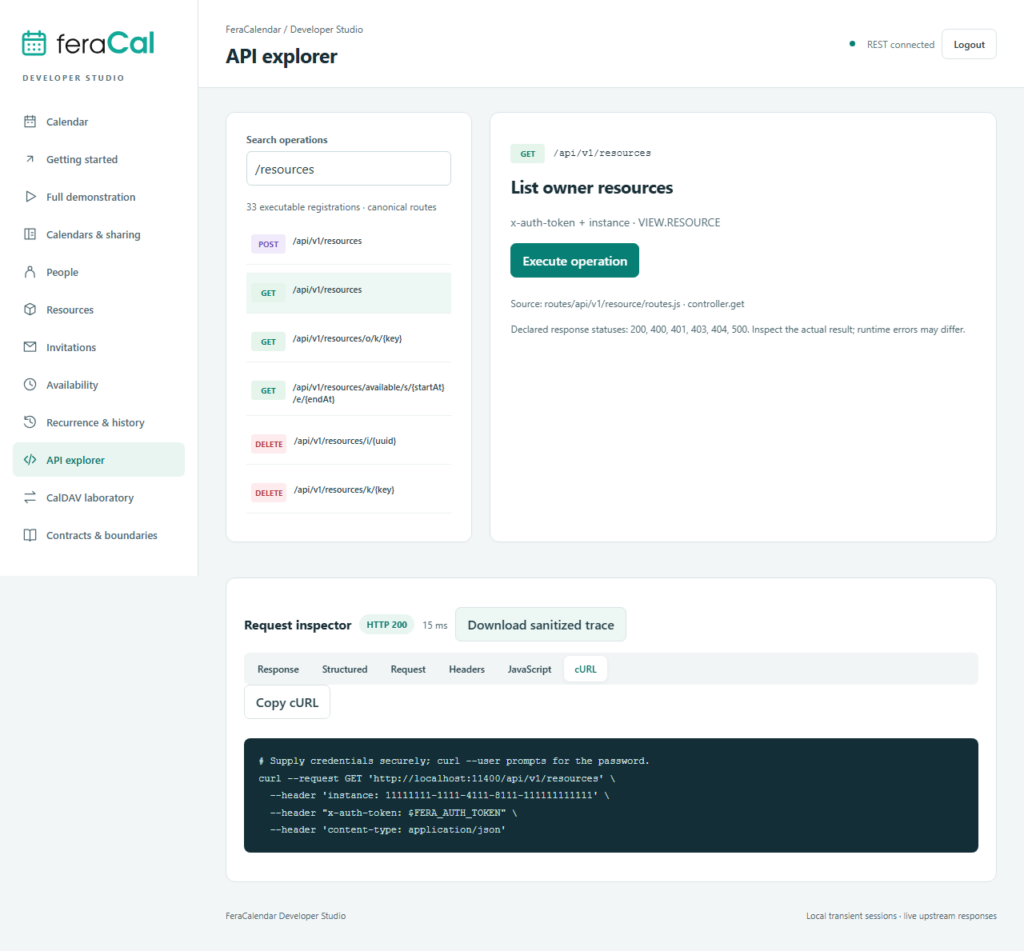
Open the live Developer StudioBrowse operations by method and path, inspect request parameters and response bodies, and copy JavaScript or cURL examples.
Screenshots use sample data. Sign in with an authorized FeraCal account to run requests.
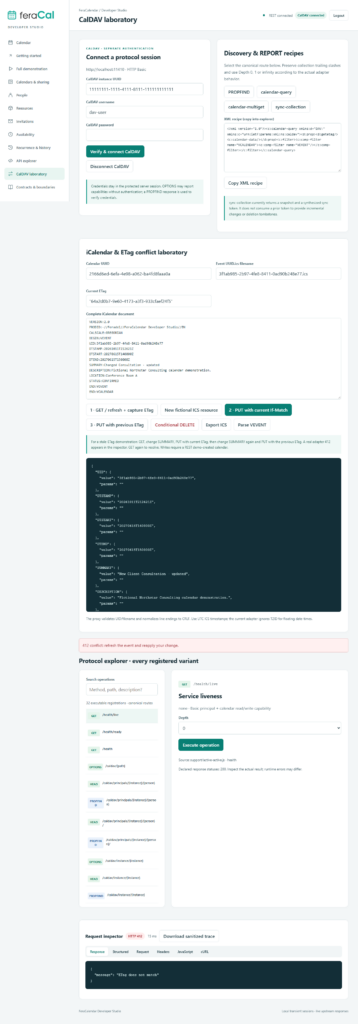
Open the live Developer StudioDiscover calendars with PROPFIND, query events with REPORT, and inspect WebDAV XML and iCalendar responses. Try conditional updates with ETags.
Screenshots use sample data. Sign in with an authorized FeraCal account to run requests.
Open the live Developer StudioReuse the calendar UUID from the create response when sharing the calendar or scheduling an event.
Set its name and sharing options for your application.
Set each member's calendar role before they read or edit events.
Query people and resources for the proposed start and end times.
Set its time range, then associate people or resources. REST stores recurrence rules as metadata. Expand occurrences in your application when needed.
Discover calendars and read or update iCalendar events with authorized CalDAV credentials.
Use the REST API for calendars, events, sharing, and availability. Compatible CalDAV clients can discover calendars, query events with REPORT, and update iCalendar resources using ETags.
Protocol flow illustration. Supported requests, authorization and responses depend on the selected resource and credentials.
Use the Studio to inspect REST and CalDAV requests. The developer guide covers authentication, request fields, and protocol behavior.
Sign in with an authorized account and your FeraCal product instance UUID to run REST requests in the Studio. CalDAV uses separate credentials.
const response = await fetch('https://api.calendar.feradel.com/api/v1/calendars/public', {
  headers: {
    'x-auth-token': token,
    'instance': instanceUuid
  }
});
if (!response.ok) throw new Error('FeraCal HTTP ' + response.status);
const { items: calendars } = await response.json();
This read-only request returns calendar UUIDs in your instance. Use a FeraAuth token with VIEW.CALENDAR and your FeraCal instance UUID. An empty list means no calendars have public sharing enabled. To create an event, try POST /api/v1/events in the REST API explorer with write access to the calendar.
Check staff availability for a requested time, then create an appointment and associate its participants.
Find a resource available for the requested interval and associate it with the reservation event.
Give members viewer or editor access and load calendar events for the date range displayed in your app.
Free includes authenticated REST and CalDAV access. Compare calendar and monthly event limits across plans. Booking pages start on Starter, and automation rules start on Complete.
$0
1 calendar · 250 events/month
$12 / month
5 calendars · 2,000 events/month
$39 / month
20 calendars · 10,000 events/month
$99 / month
Unlimited calendars · 50,000 events/month
Let’s talk
Custom event volume
Plan details and entitlements are confirmed during account creation. For enterprise needs, contact Feradel.
No. FeraCal can be licensed and integrated independently. Other Feradel products can be connected through appropriately configured applications when useful.
Assign viewer, editor, or admin membership roles. Use access resolution to check what a person can do on a specific calendar.
FeraCal has a CalDAV adapter for compatible clients. The adapter supports discovery, event queries, synchronization-oriented reports, and iCalendar resources; client compatibility and credentials must be configured appropriately.
Create owner-scoped resource records and check whether people or resources are available for a selected time range. Use those results to inform scheduling decisions in your application.
Yes. Browse REST operations, guided workflows, and CalDAV examples in Developer Studio. Use your authorized credentials to run requests and inspect the responses.
Use an active Free workspace. Send your FeraAuth token in the x-auth-token header and the FeraCal product instance UUID in the instance header. Your token and calendar role determine which operations you can run.
Create a Free workspace or use an existing one. The developer guide explains how to authenticate and run requests.