
FeraSurvey · Surveys, forms & structured data
Build the form. Publish it anywhere. Let the response start the next workflow.
FeraSurvey is a complete survey application for designing, publishing, collecting, reviewing, and exporting structured responses—with a secure WordPress drop-in and webhook integrations when the data needs to keep moving.
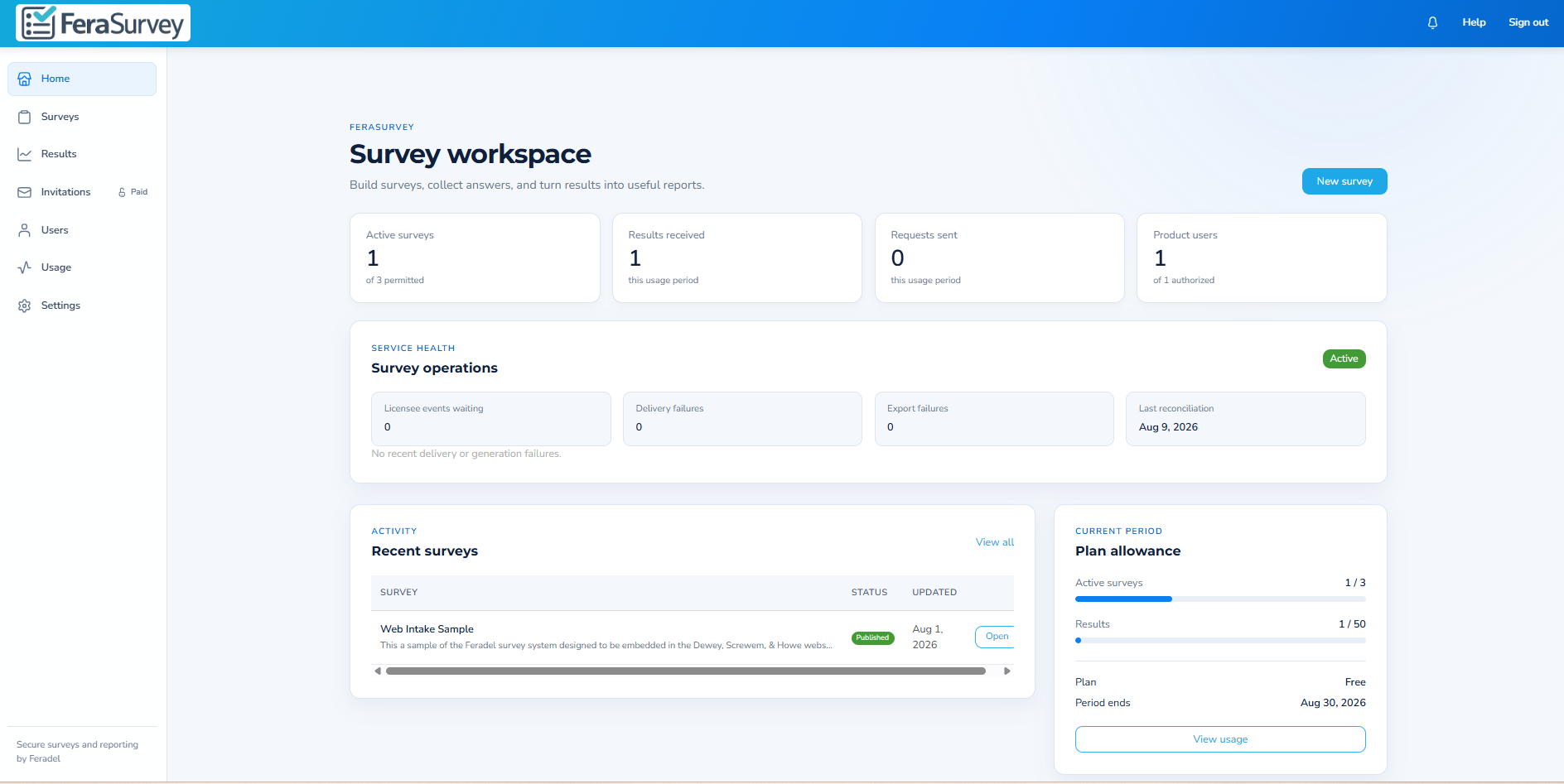
One product, three ways to use it
Run FeraSurvey directly. Drop it into WordPress. Or connect your own software.
The retail workspace handles the whole survey lifecycle. WordPress provides a painless responder experience on your site. Webhooks hand structured response events to the systems you already use.
FeraSurvey for teams
Design surveys, publish versions, manage invitations, review responses, print reports, administer results, and export structured data from one focused workspace.
Explore the workspace →FeraSurvey for WordPress
Connect a site securely, choose a published survey, then add it to content with the FeraSurvey block or a shortcode. Survey answers stay in FeraSurvey—not in WordPress.
See WordPress setup →FeraSurvey for developers
Register customer webhooks and let signed survey and response events continue your application workflow without forcing users into a second data-entry system.
See integration flow →Visual survey authoring
Build structured questionnaires without building a form engine.
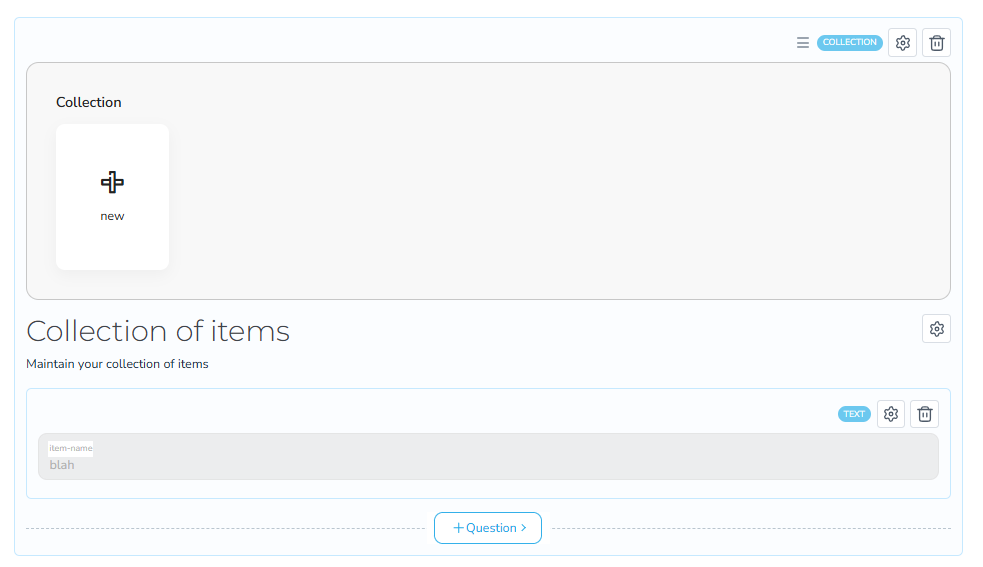
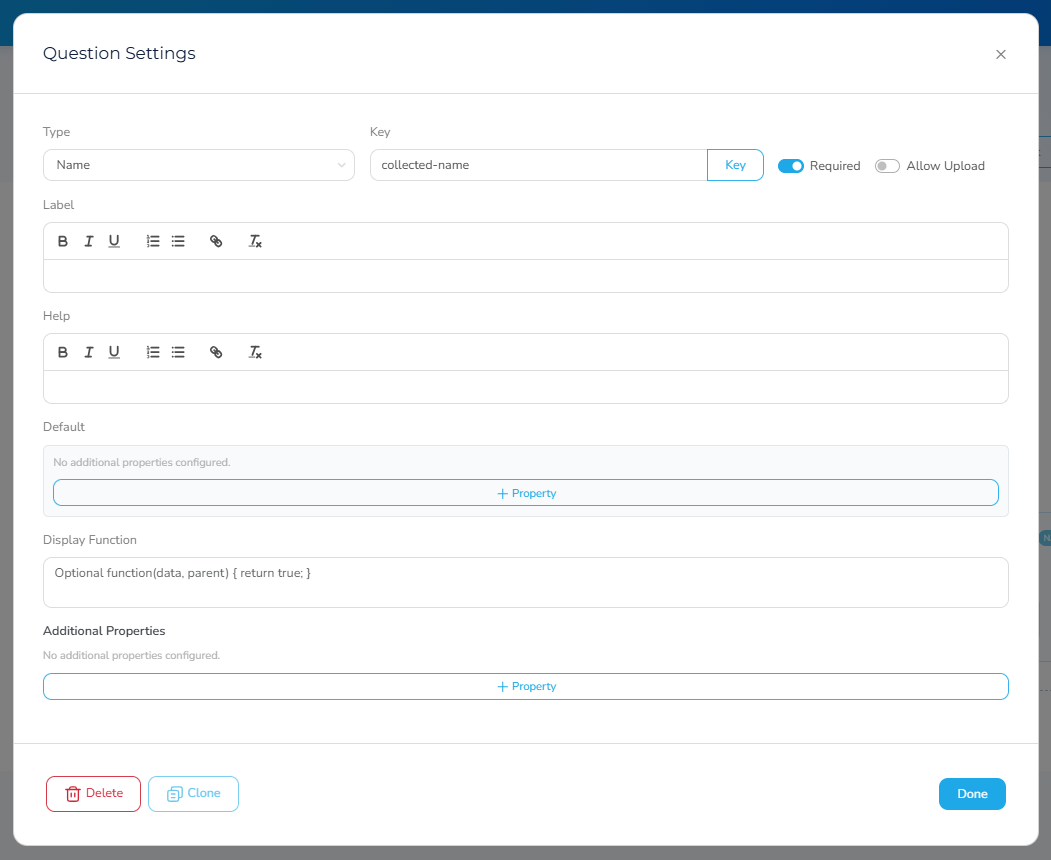
Start with a blank survey, organize it into sections, add questions from the editor, and configure each question in place. FeraSurvey is designed for ordinary business users while still producing predictable structured data for more technical workflows.
- Sections, questions, validation, and responder-facing instructions.
- Reusable patterns for structured and repeatable information.
- Preview before publishing and keep draft work separate from the live version.
- Manage the survey lifecycle from draft through published use.
Publish with control
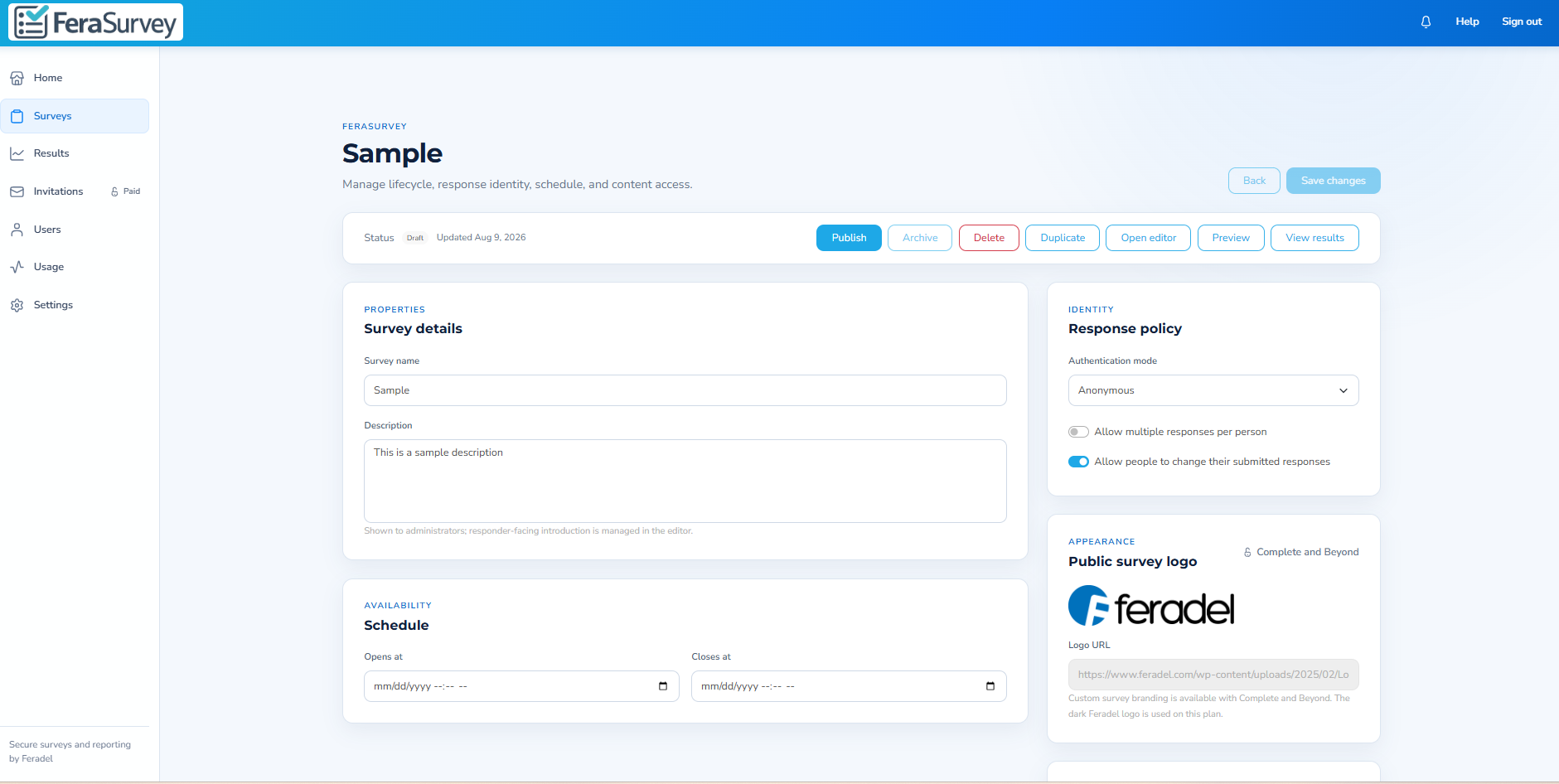
Decide how people respond—not just what you ask.
Survey properties keep publication and response behavior separate from question authoring. Configure the response policy, schedule availability, control whether submitted responses may be changed, and apply survey branding where the plan permits it.
- Anonymous and authenticated response modes.
- Single- or multiple-response policies.
- Optional post-submission editing.
- Open and close scheduling.
- Custom survey identity on eligible plans.
Responses and reporting
See the answer. See the history. Use the data.
Responses live in a dedicated results workspace with single-response reporting, saved/submitted version history, print output, and administrative controls.
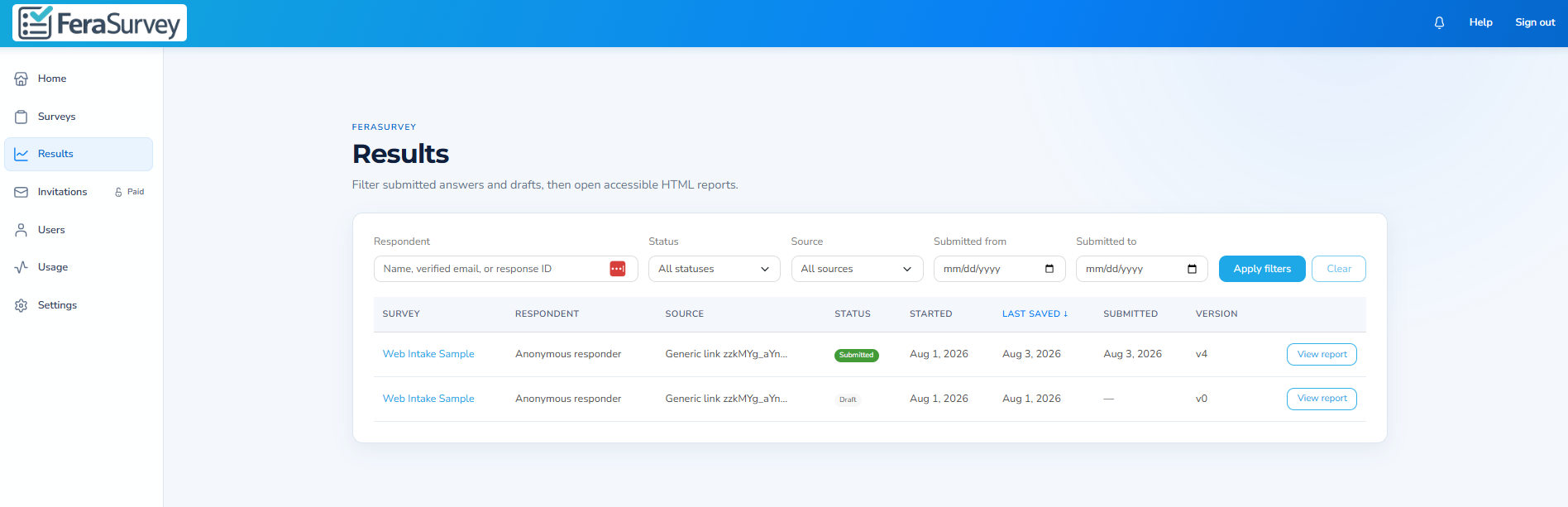
Results workspace
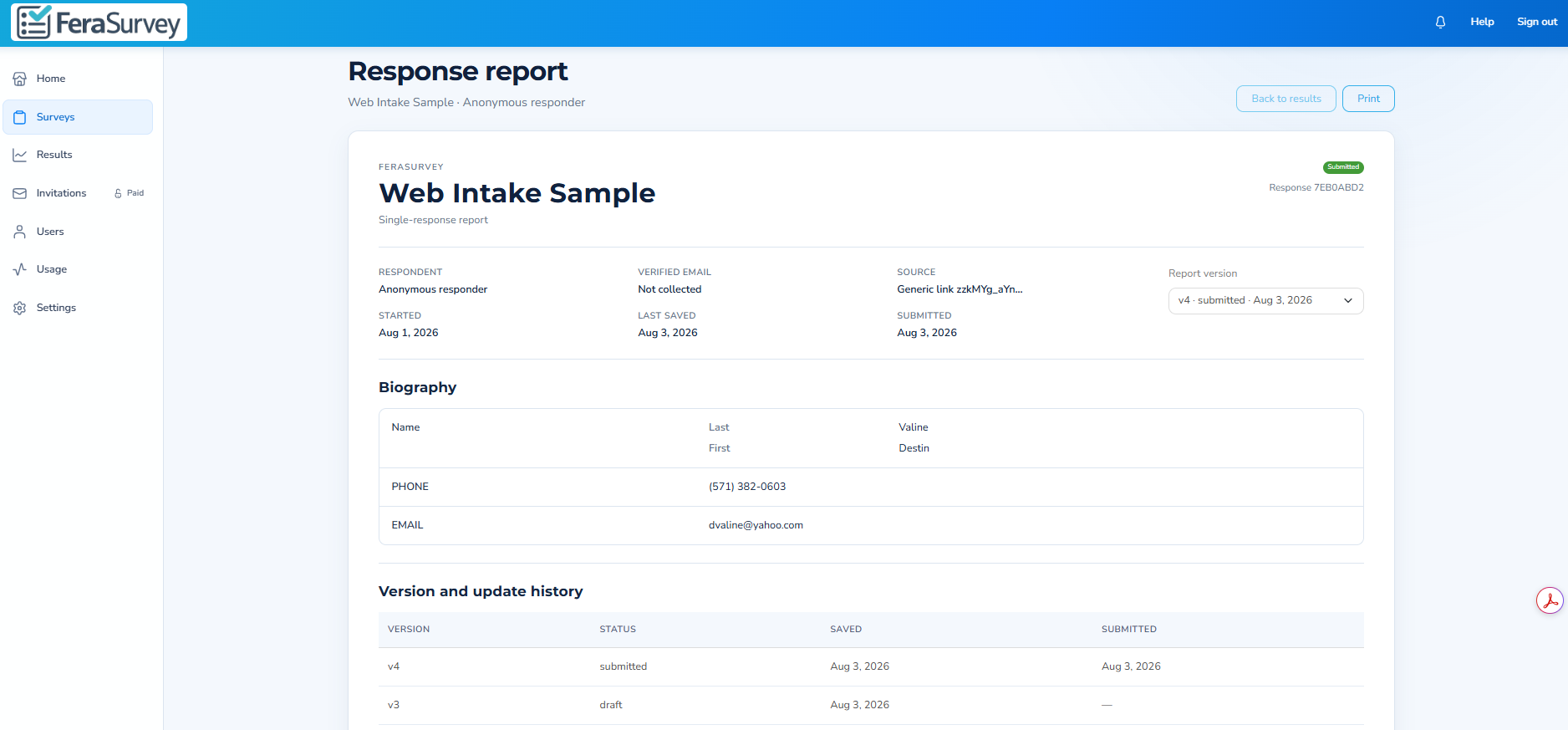
Single-response report and version history
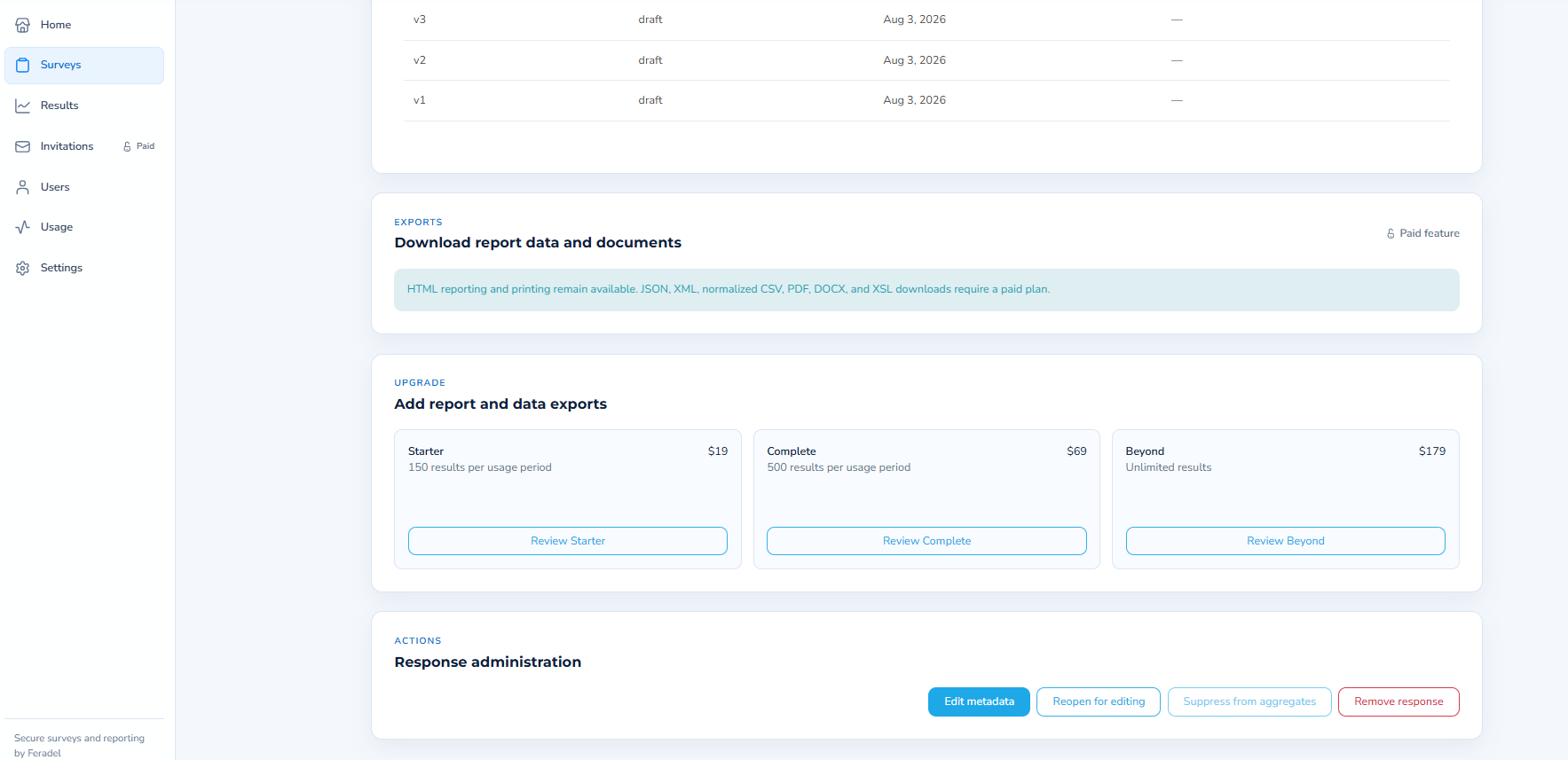
Export in the format the next step needs.
HTML reporting remains available for straightforward review and printing. Eligible paid plans add structured and document-oriented export formats for downstream work.
FeraSurvey for WordPress
Put the secure responder experience directly inside WordPress content.
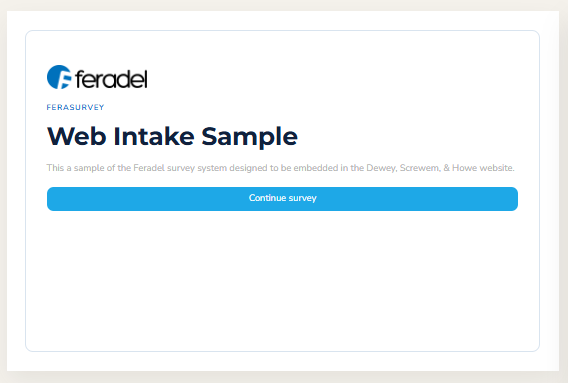
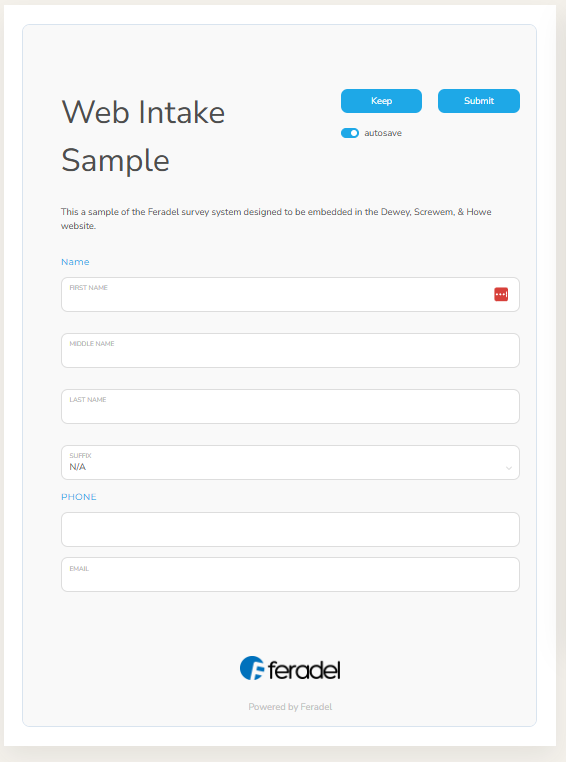
The WordPress plugin is designed to make the website side boring—in the best way. Connect the site, select a published survey, copy the shortcode or add the Gutenberg block, preview, and publish.
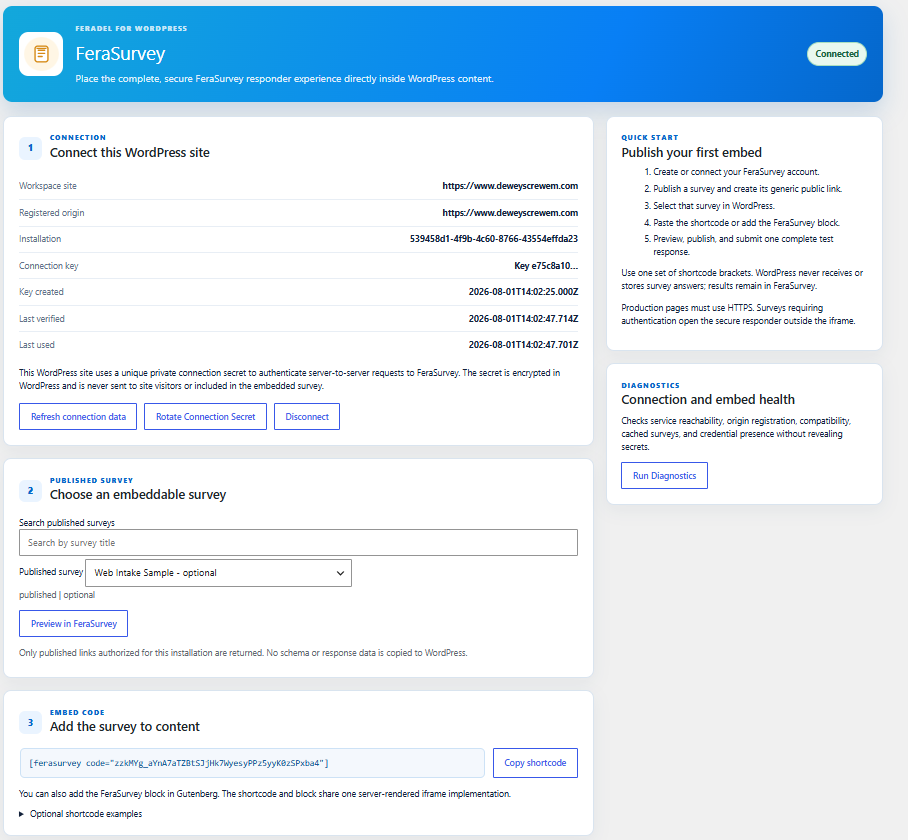
A private server-to-server connection.
Each WordPress installation receives its own private connection credential. The secret is stored on the server, is not exposed to site visitors, and can be rotated or disconnected by an administrator.
- Choose from published surveys authorized for the installation.
- Use a shortcode or the FeraSurvey Gutenberg block.
- Run connection and embed diagnostics without exposing secrets.
- WordPress does not receive or store survey answers or results.
- Authenticated surveys can continue in the secure responder outside the iframe when required.
FeraSurvey for developers
Let FeraSurvey collect the data. Let your application decide what happens next.
Register a customer webhook for the endpoint your application controls. FeraSurvey can deliver signed survey and response events so a submitted response can continue into your database, CRM, document workflow, notification service, or other business process.
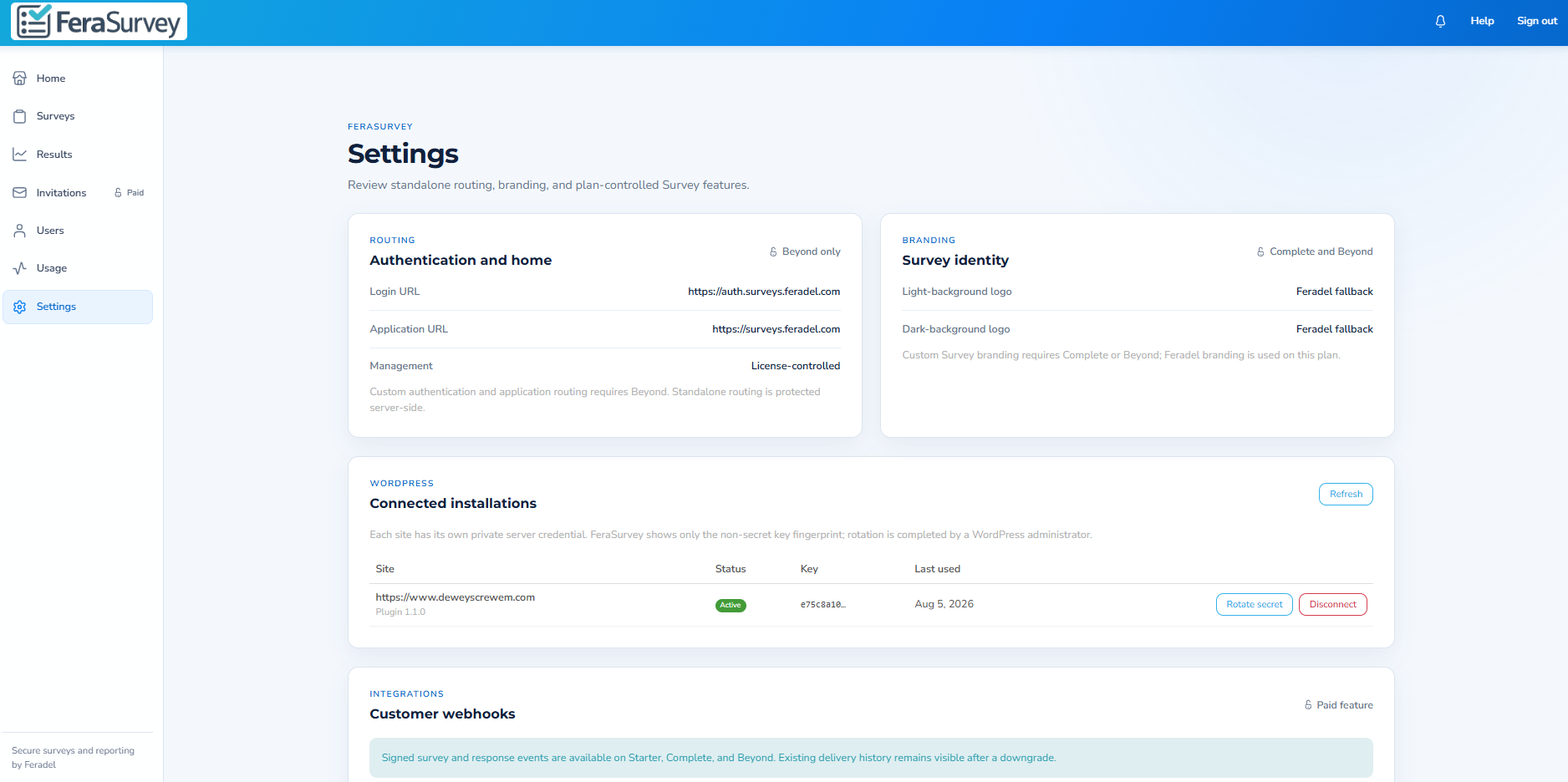
Connected WordPress installations and customer webhooks are managed from the FeraSurvey settings workspace.
Simple product pricing
Start at $0. Scale by actual usage.
The free tier requires no credit card. Paid tiers add response capacity, users, invitations, branding, reporting, webhooks, and advanced controls.
- 1 product user
- 3 active surveys
- Generic links
- HTML reports
- 3 product users
- 5 active surveys
- 50 invitation requests
- Paid reports and webhooks
- 10 product users
- 15 active surveys
- 150 invitation requests
- Custom survey branding
- Paid reports and webhooks
- 25 product users
- 50 active surveys
- 500 invitation requests
- Custom survey branding
- Custom routing
- Paid reports and webhooks
Need custom response volume, implementation support, data handling, or a contracted SLA? Contact Feradel.
Common questions
What to know before you publish your first survey.
Is FeraSurvey a complete standalone application?
Yes. The retail application includes survey creation and editing, publishing, results, response reporting, invitations, users, usage, settings, and administrative controls. WordPress and webhooks are optional integration paths.
Can I put a FeraSurvey survey directly in WordPress?
Yes. The FeraSurvey WordPress plugin connects the site server-to-server, lets an administrator select a published survey, and provides both a shortcode and a Gutenberg block for placement in content.
Does WordPress store survey answers?
No. The WordPress integration is intentionally thin: survey schema and response data stay in FeraSurvey rather than being copied into WordPress.
Can my own application receive FeraSurvey data?
Yes. Customer webhook registrations on eligible paid plans can deliver signed survey and response events to your application so it can continue the workflow downstream.
What export formats are available?
HTML reporting and printing are available for straightforward review. Eligible paid plans add JSON, XML, normalized CSV, PDF, DOCX, and XSL downloads.
Does the free tier require a credit card?
No. The current Free plan can be created without entering payment information. When its included monthly usage is exhausted, new usage is suspended until the next cycle unless the account is upgraded.
Start with FeraSurvey
Build your first survey without a credit card.
Use the full retail workspace, then add WordPress or webhooks when your workflow needs them.